CCE Player support and downloads
CCE Player Support & Downloads
CCE Player 4.1.1 for Windows is available now as a free download. Paid CCE exam packs are sold separately and licensed to the purchaser.
The installer is digitally signed by Cochran Cyber Education LLC.
Download CCE Player
Download CCE Player 4.1.1 for Windows
CCE Player 4.1.1 is the current signed Windows release. The Player is free to download and install. Paid CCE exam packs are sold separately and licensed to the purchaser. Mac support is planned for a future release.
CCE Player for Windows
Download CCE Player 4.1.1 for Windows, then purchase and import a CCE exam pack to begin practicing.
Version: 4.1.1
Publisher: Cochran Cyber Education LLC
SHA-256: BFC650B9FA1CA9178BAA6CDB68D0E29F2D6219DD5A10655554FCED55C217F813
The installer is digitally signed by Cochran Cyber Education LLC. Because this is new software from a newly established validated publisher, browsers or Windows may initially show a reputation or "not commonly downloaded" warning. Verify that the publisher is Cochran Cyber Education LLC before running the installer.
Getting Started
Install Player, extract your ZIP, and import your pack.
Install the Player
Download and install the free CCE Player 4.1.1 on your Windows computer.
Import your .cce pack
Open CCE Player and import the paid .cce exam pack included with your purchase.
Import once and start practicing
For single-import packages, your customer license is included in the .cce file and verified automatically. No separate activation file or code is needed.
Import .cce Packs
Load your exam pack into CCE Player.
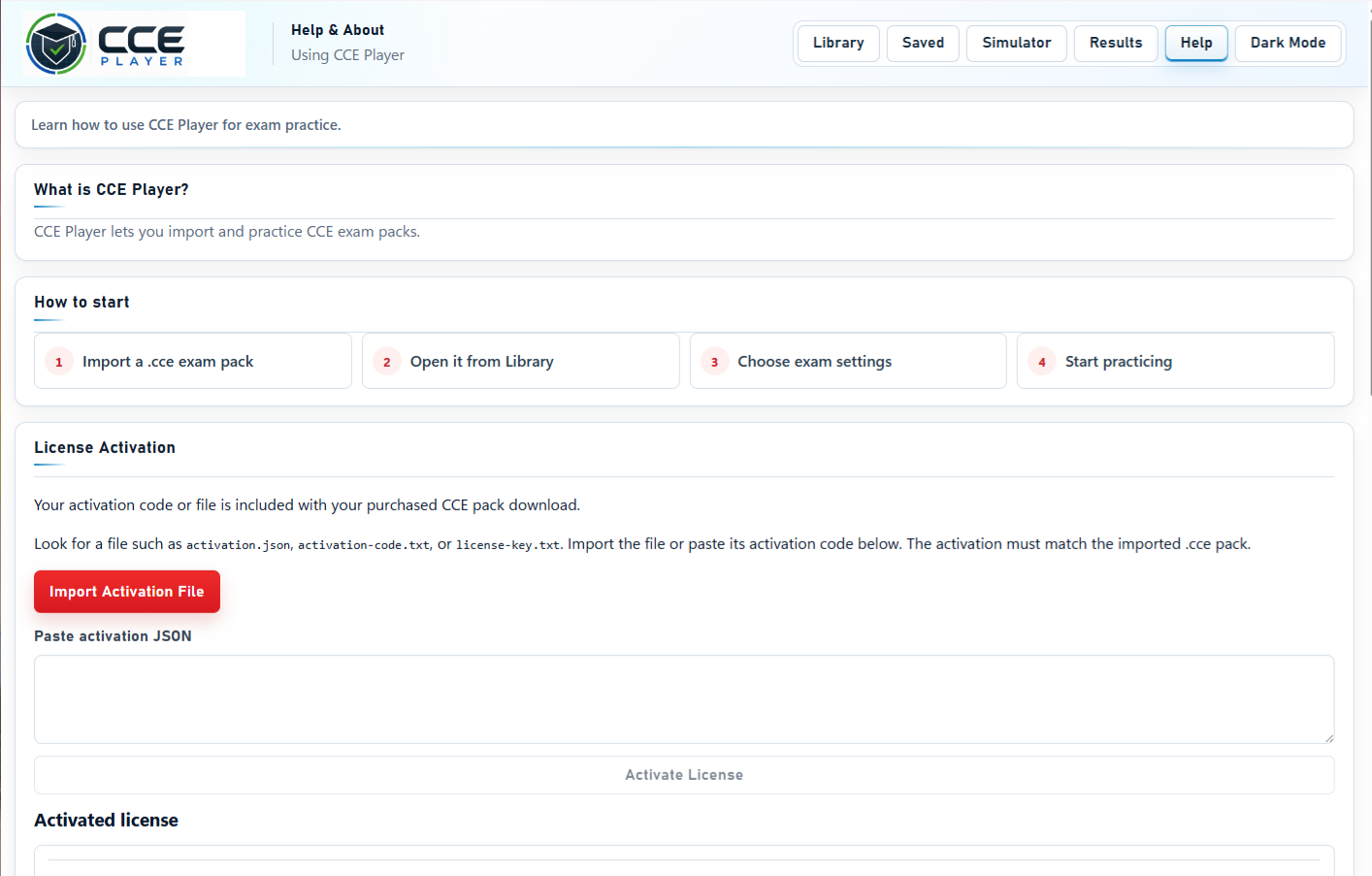
How to import a .cce pack
- Extract all files from your downloaded ZIP.
- Open CCE Player 4.1.1.
- Go to Library.
- Choose Import CCE Pack.
- Select your .cce file.
- Player verifies the included license automatically and shows Activated. Older deliveries with a separate authorization JSON follow their README-FIRST guide.
- Start practice in study mode or exam mode.

Pack Setup Help
Your license stays with your pack.
Single-import packages include the signed customer license inside the .cce file. Import it once in Player 4.1.1 to begin. Keep your original .cce file, README-FIRST guide, and purchase receipt.
Older packages with a separate JSON
Player 4.1.1 also supports older deliveries. If your original package includes a separate authorization JSON, follow its README-FIRST guide and select the matching file when Player requests it.
README-FIRST guide
Open README-FIRST for package contents and import instructions. Companion PDFs can be opened and printed separately.
Locked pack troubleshooting
For a single-import package, import your original .cce file again. For an older package, use its matching authorization JSON. Contact support if the pack remains locked.
Missing package or receipt
Contact support with your purchase email, exam pack name, and available order information.
Missing Package Files
Help with missing order materials.
Recover your purchase materials
If you lose your .cce file or other purchase materials, contact support with your purchase email, exam pack name, and order ID if available.
Common Support Questions
Quick answers before you contact support.
Is CCE Player free?
Yes. CCE Player 4.1.1 for Windows is free to download and install. Paid CCE exam packs are sold separately and licensed to the purchaser.
Do I need to buy an exam pack?
Yes. The free CCE Player runs the practice environment, but full certification practice content is delivered through paid .cce exam packs and study bundles.
Can I use the PDF without the Player?
Companion PDF materials can be reviewed separately, but the .cce exam pack requires CCE Player.
Does CCE Player work on Mac?
CCE Player 4.1.1 is currently available for Windows. Mac support is planned for a future release. Do not download or install unofficial versions.
Do I need internet access?
Internet access is needed to download Player and your package, obtain updates, or contact support. License verification and practice work offline after your pack is imported.
What if my pack will not open?
Review README-FIRST, confirm you are using the correct .cce file, and contact support if the issue continues.
Contact Support
Send the details needed to troubleshoot quickly.
Support email
Use the support button below to contact CCE support. Or send email to: [email protected]. Include your package name, exam version, order details, Windows version if relevant, and screenshots or error text.
Helpful details to include
- Purchase email
- Exam pack name
- Order ID or purchase receipt if available
- Screenshot of the issue
- Brief description of the problem
Need help getting started?
Review the full FAQ or contact support with your package details.